To make an artist website in an hour, have your photos and texts ready before you start. With them, putting the site together takes about sixty minutes. Without them, it takes days, because the slow part is choosing 8–12 artworks, photographing them properly, writing down sizes and prices, and finding three sentences about yourself. Below: a checklist, the steps with rough times, and what the hour costs.
Before you start
This list is the real difference between an hour and a week. Put it all in one folder first.
- 8–12 photos of finished artworks. Shot straight on, in even light, without glare, cropped to the edge of the work. If you’re not sure yours are good enough, start with how to photograph your artworks.
- For each artwork: title, year, medium, dimensions, and a price or “not for sale”. A spreadsheet is fine.
- A bio of three or four sentences: where you live, what you make and with what, and one or two facts such as your education or a recent exhibition.
- A contact email you’re happy to see on a public page.
- Optional: a portrait. A real photo of you, not a cropped holiday snapshot.
Spend the days on this list, not on the site. Everything below assumes you have it.
Step by step, with rough times
The minutes are our estimate for someone with everything above prepared. They are not a measured run. The screenshots show ArtFond, the platform this blog belongs to; the same order of steps works elsewhere too (more on that below).
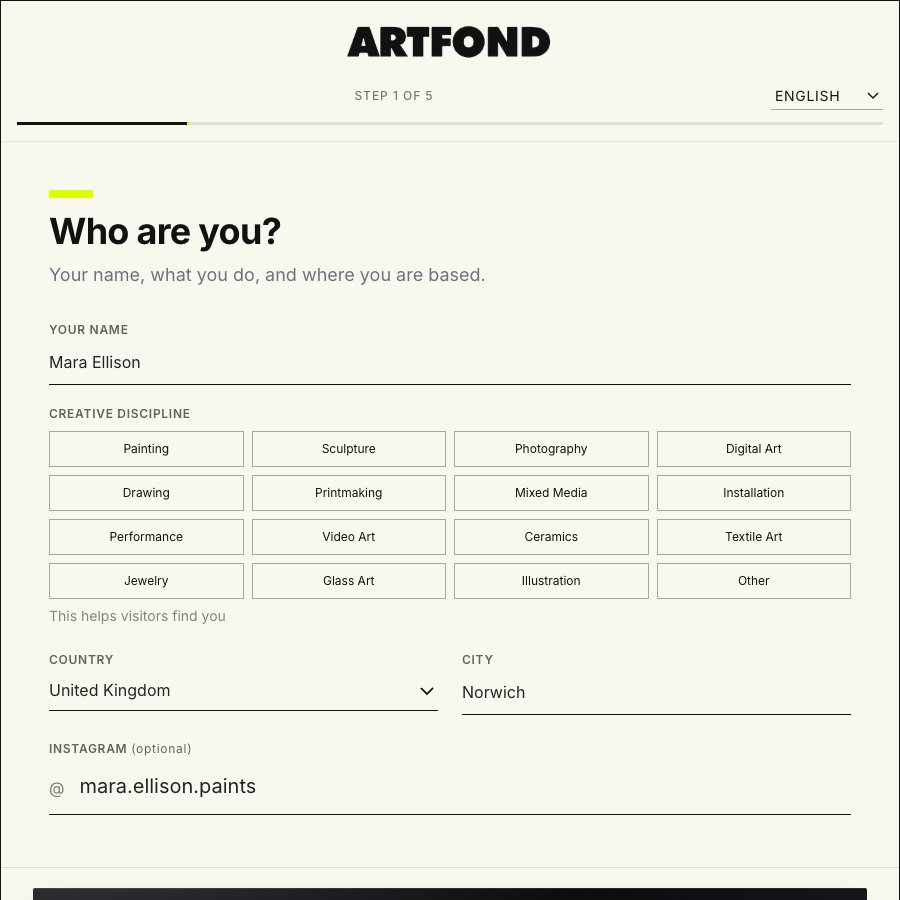
1. Sign up and answer “Who are you?” (about 3 minutes)
Name, creative discipline, country, city, and your Instagram if you want it there. That’s the whole first screen.
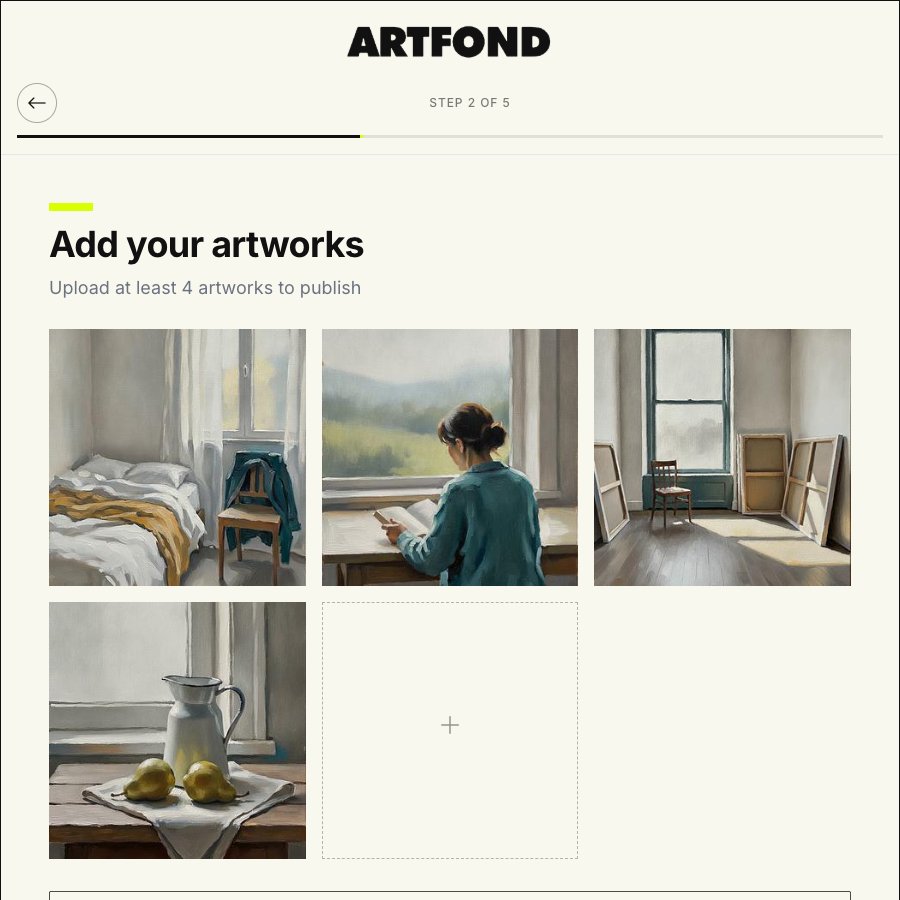
2. Upload your artworks (about 10 minutes)
The screen says “Upload at least 4 artworks to publish”. Four is the minimum to go live, but upload all 8–12 now, while the folder is open. The details come in step 5.
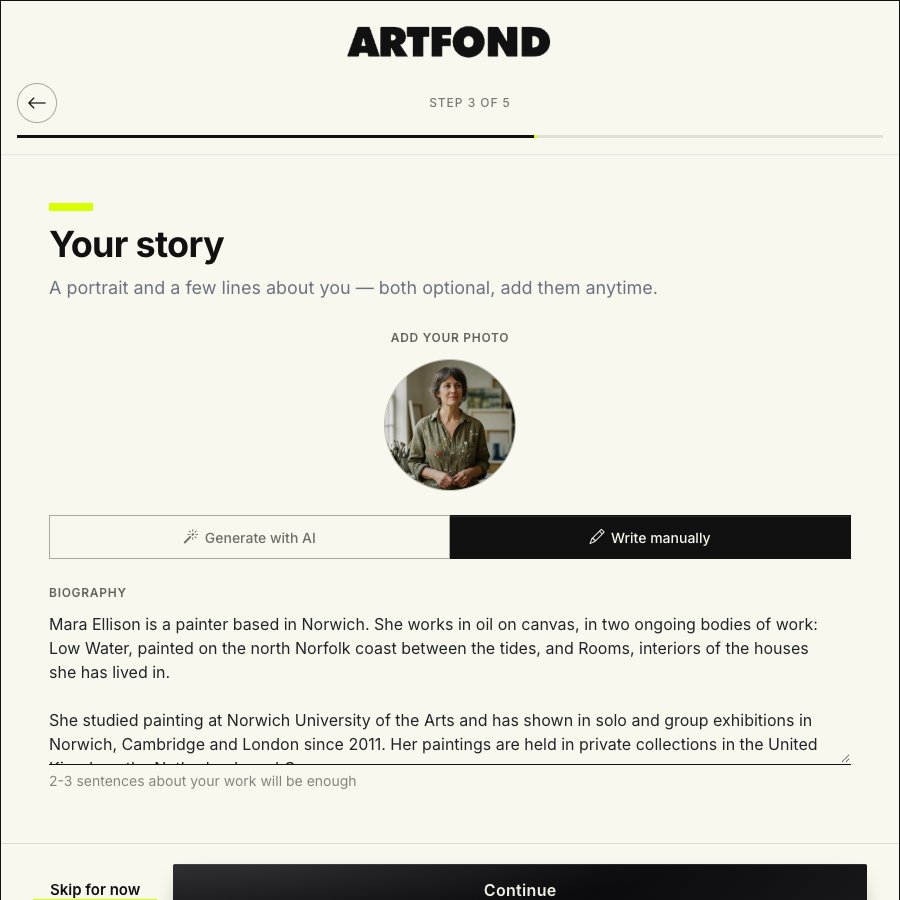
3. Your story: bio and portrait (about 5 minutes, optional)
Both can be left empty and added later. For the bio you choose “Generate with AI” or “Write manually”. If you have your three sentences ready, paste them in. If you take the AI draft, treat it as a draft: keep what’s true, cut anything that could describe any artist, and check that it names what you actually make.
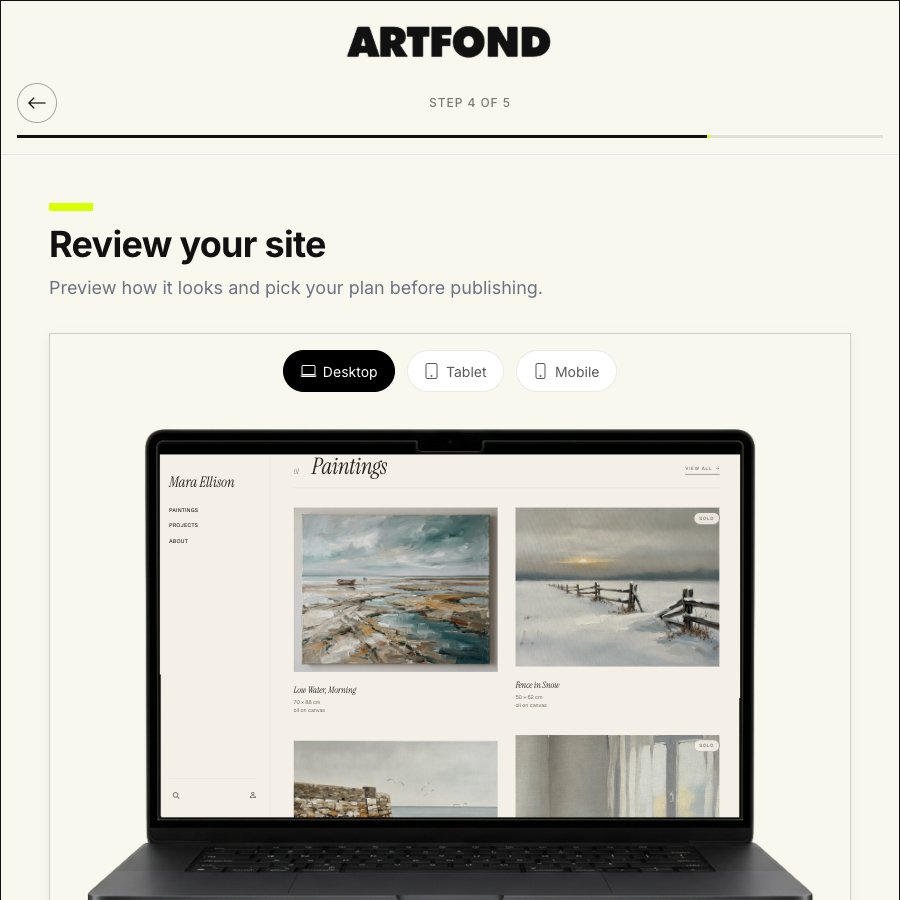
4. Review on three screens, choose a plan, publish (about 5 minutes)
The preview shows the site on desktop, tablet and mobile. Look at the phone view properly: that’s where a long title wraps badly or a crop cuts off the edge of a painting. Then choose a plan and publish. Every plan starts with a 14-day trial. Have a card to hand, because the payment form opens when you publish.
After this, the site is live.
5. Fill in each artwork’s passport, then add prices (about 20–25 minutes)
The site is online, but the artworks are still just pictures. In the admin, every artwork has a passport: title, description, medium, series, year, materials, dimensions, status and visibility. Status can be available, reserved, sold, not for sale, on exhibition, and a few more. Visibility is visible, hidden, or link-only, which suits an artwork you want to show to one person without listing it.
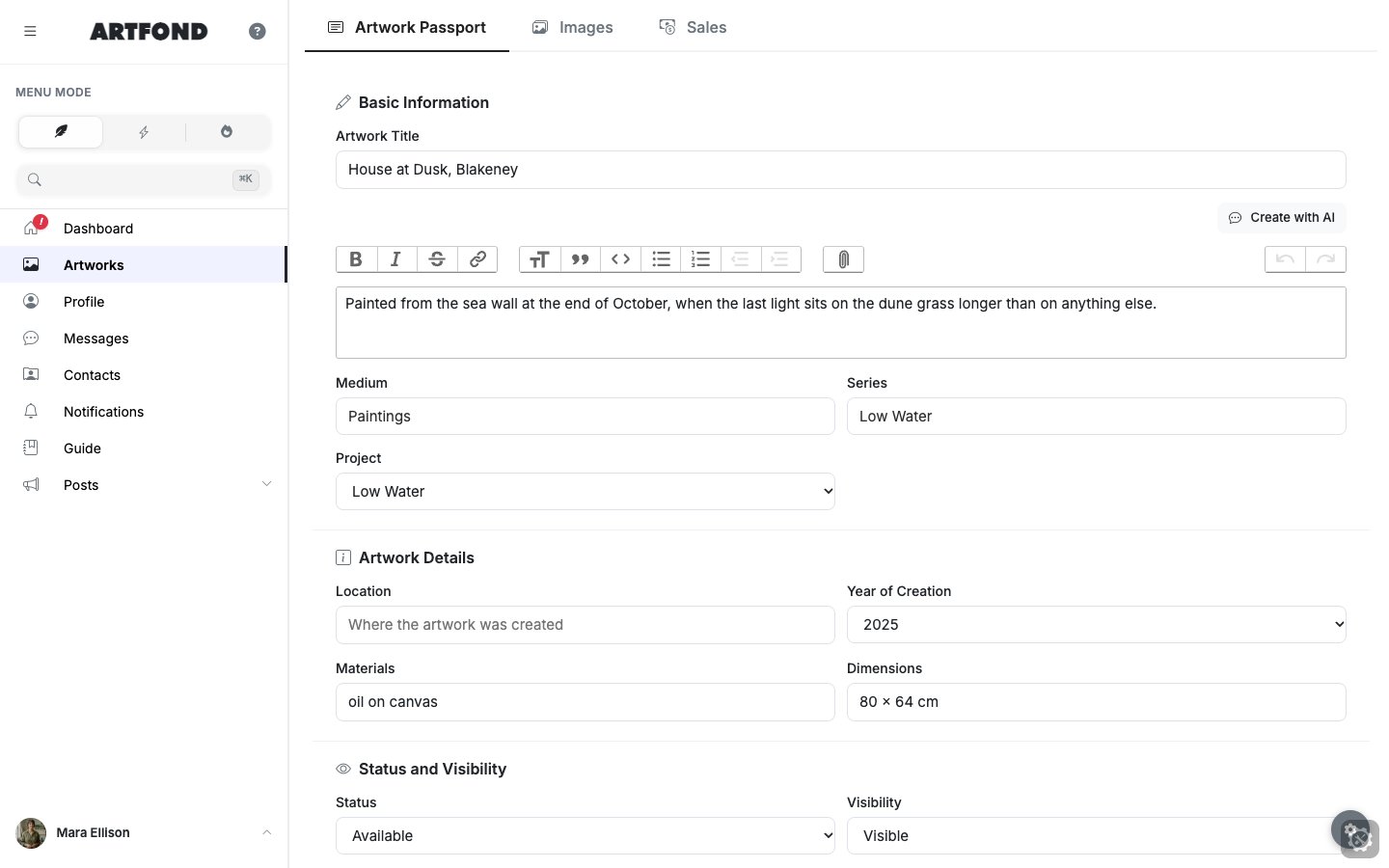
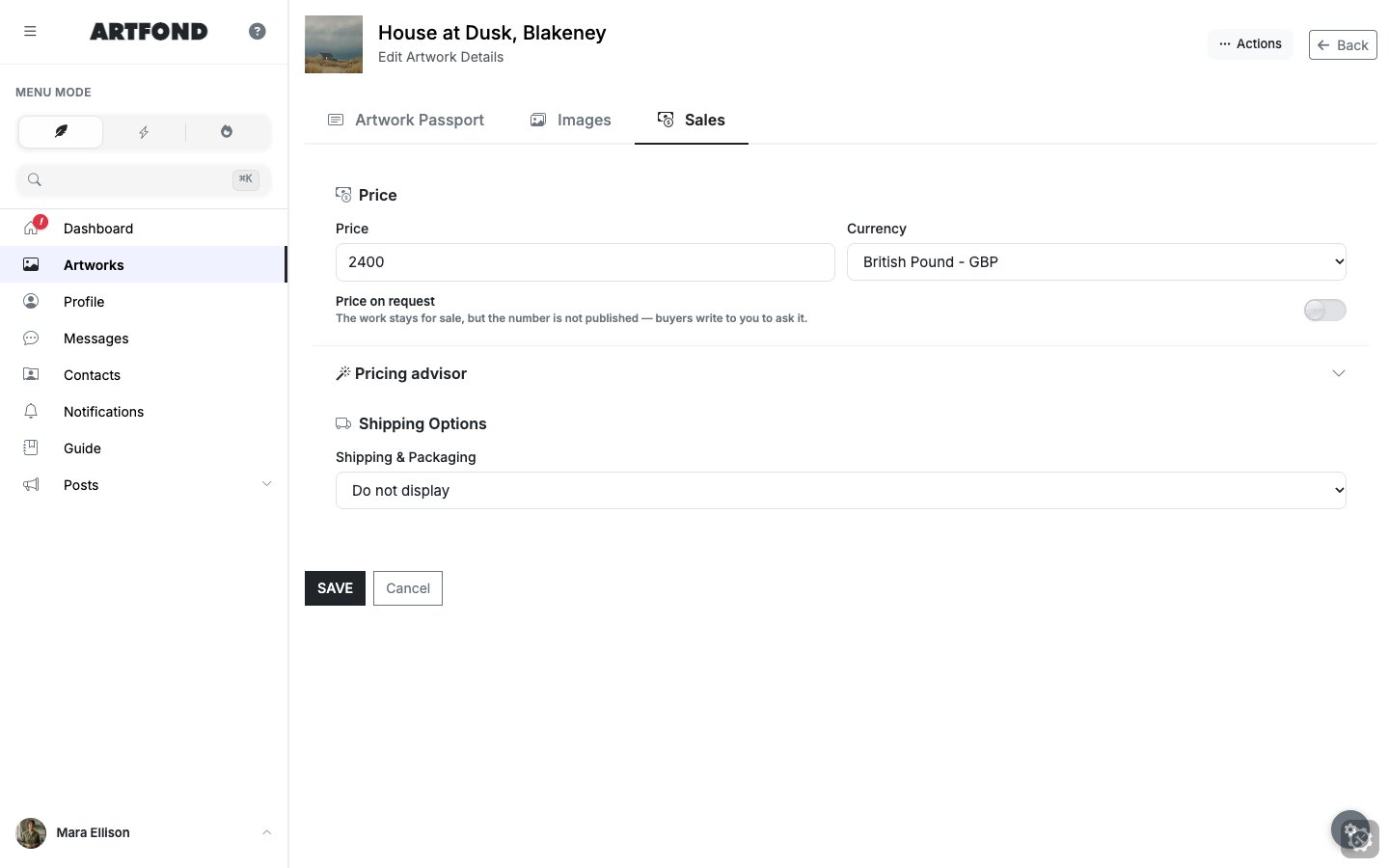
The price goes on the artwork’s Sales tab. An artwork with the status “available” and a price is for sale; there’s no separate “for sale” status. With the spreadsheet open, allow about two minutes per artwork.
6. Choose a design on your own site (about 5–10 minutes)
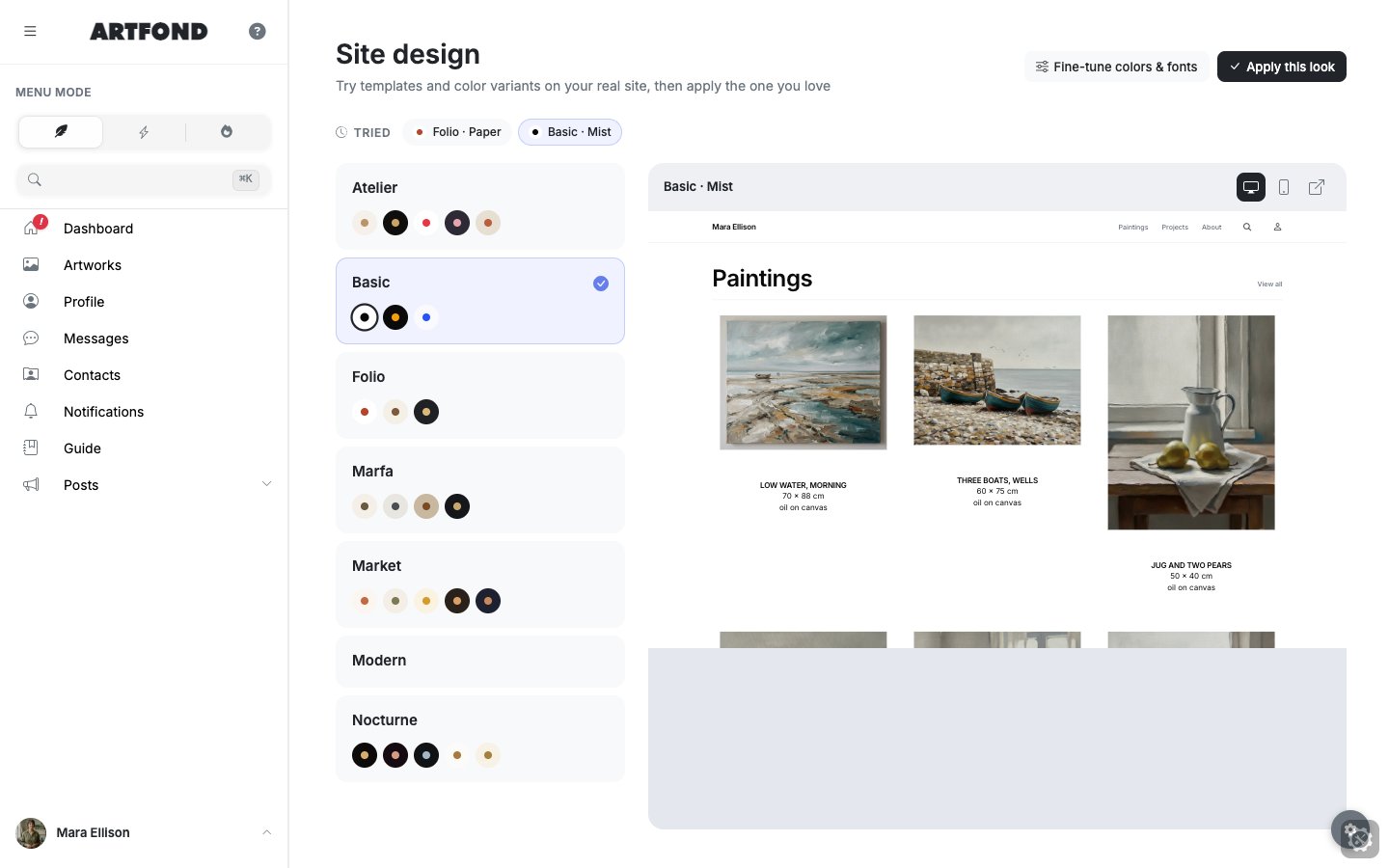
You try templates and colour variants on your real site, with your own artworks, and apply the one that fits. On screen today: Atelier, Basic, Folio, Marfa, Market, Modern and Nocturne. Judge each by how your artworks sit in it on a phone, not only on a large monitor.
7. Optional: a domain (about 5 minutes)
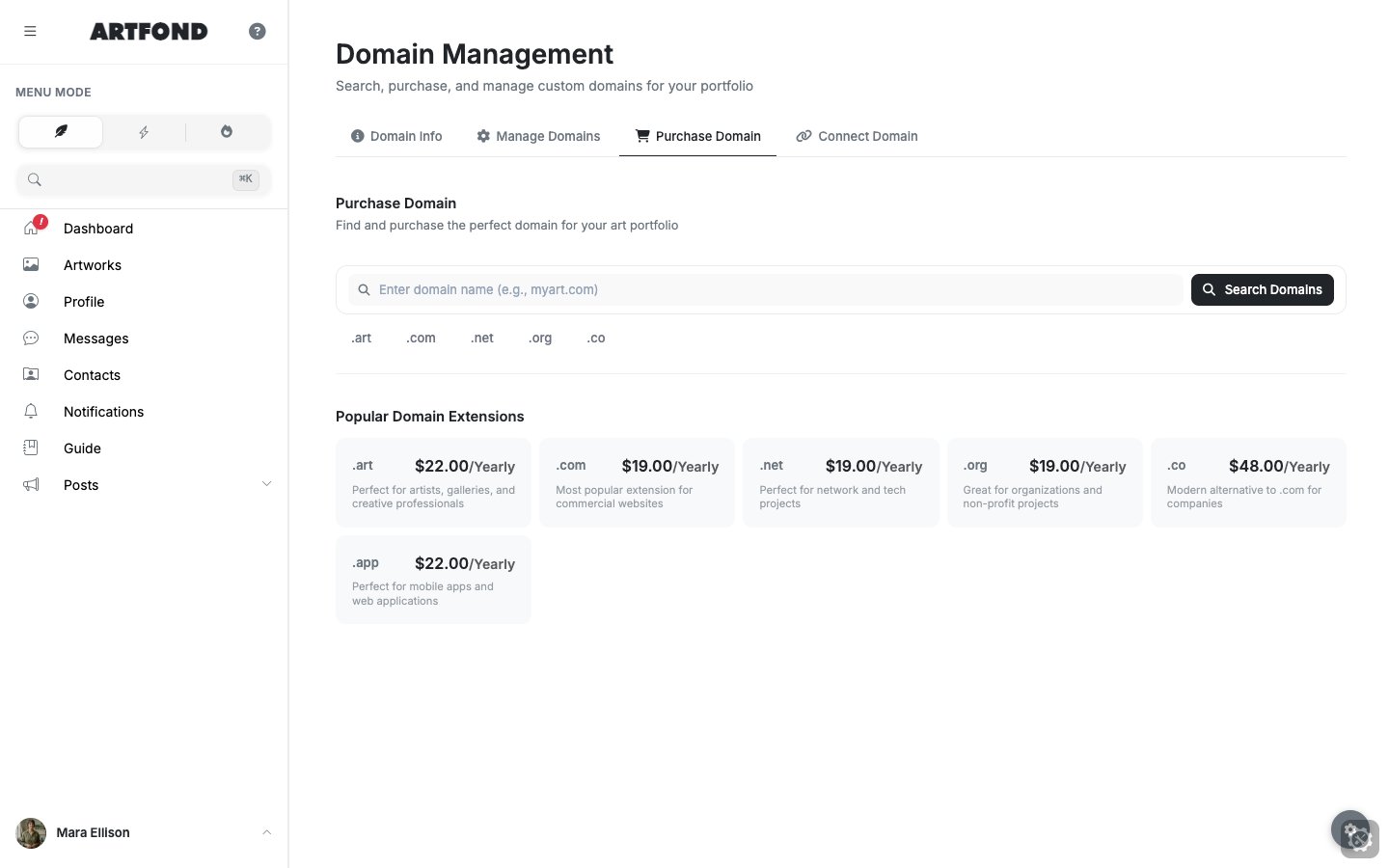
You can keep the address yourname.artfond.me, search for and buy a domain, or connect one you already own. The yearly Pro and Unlimited plans include the first year of a domain. Connecting a domain you own means changing a setting with the company you bought it from, so keep that login nearby.
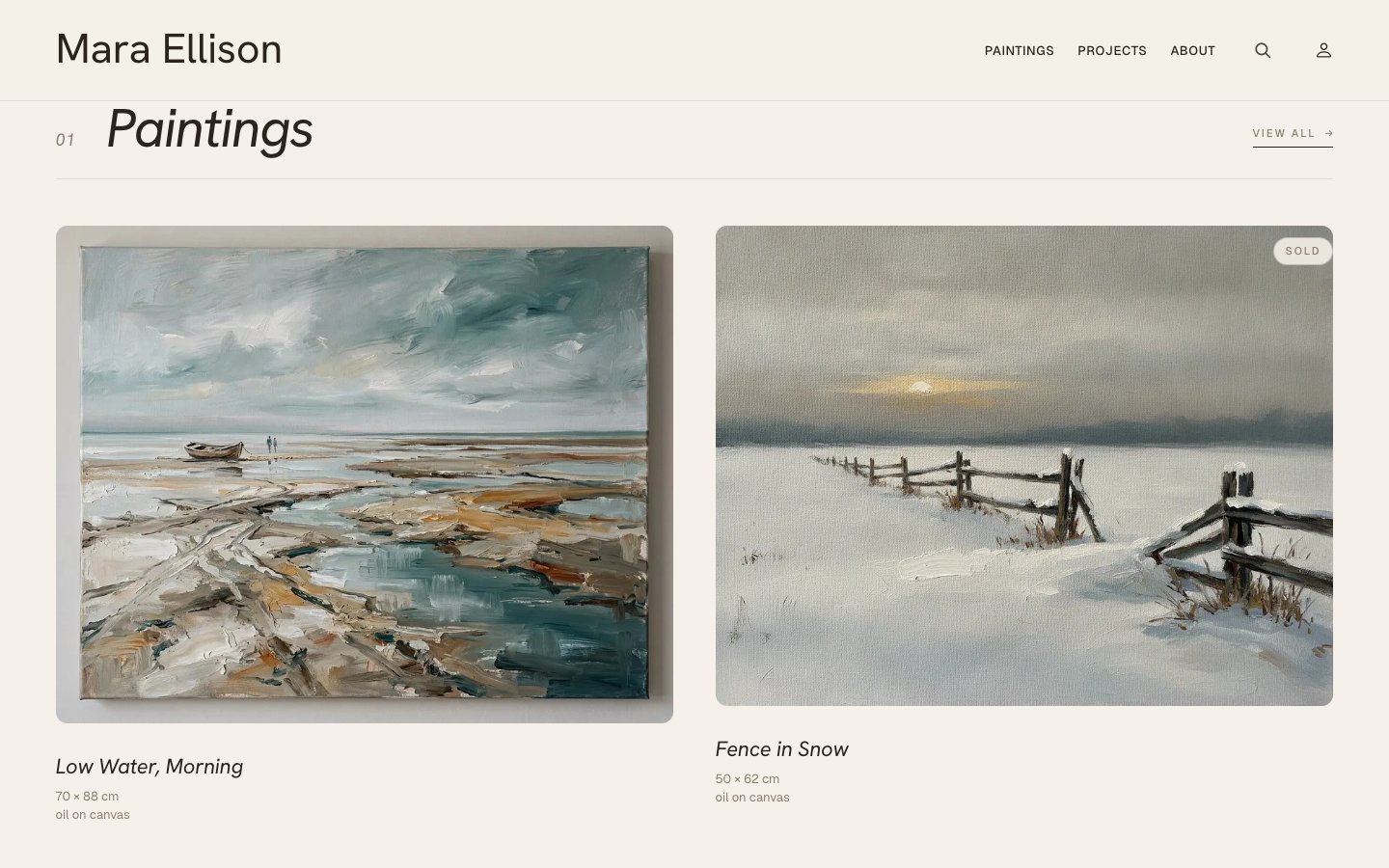
Add up the steps and it comes to roughly an hour. This is the result:
The five pages every artist site needs
Whatever you build on, the structure is the same, because that’s what visitors look for: the artworks first, then who you are, then how to reach you.
- Home. One strong image or series and one sentence on what you make. Its only job is to send people to the artworks.
- Artworks. Grouped by series rather than by date, with large images and a caption on each: title, year, medium, dimensions, status. More in how to make an artist portfolio.
- About, with your artist statement. A short bio for people scanning, then the statement: why you make the work, not your life story. See how to write an artist statement.
- CV. Exhibitions, education, residencies and awards, newest first, ideally also as a PDF. See our artist CV guide.
- Contact. An email address that’s visible without hunting, and the Instagram you actually use.
- Optional: shop or available works. Image, price, dimensions, materials, and how to buy or enquire. Only if you’ll keep it current: a sold artwork still marked available does more harm than no shop.
What the hour doesn’t give you
- Visitors from Google straight away. A new site has to be found and indexed before it shows up in search, and that isn’t instant. How it works: how people find you on Google.
- Buyers. A site doesn’t bring buyers by itself. It gives the people who already hear about you, from an exhibition, Instagram, a gallery or a friend, somewhere to look properly and get in touch. A clear artwork page with a price raises the chance of a sale, but doesn’t guarantee one.
- Finished texts. The first bio and the first descriptions are a start. They get better each time you rewrite them after a real conversation about the work.
Doing it on another platform
The checklist and the order of steps are the same on any website builder: prepare first, then upload, write, publish, fill in the details, and leave the design for last. If you’re still choosing where to build, see which website builder an artist should choose.
What the hour costs
On ArtFond, every plan starts with a 14-day trial, then it’s from €19 a month (£19 in the UK, $29 in the US). Yearly billing is about 22% cheaper, and the yearly Pro and Unlimited plans include the first year of a domain. Current prices are on the pricing page.
Free options exist as well, and each one has a catch: ads, someone else’s address, or no shop. We’ve set them side by side, with sources and dates, in free website for artists: what’s actually available.
See also: a website for artists on ArtFond, what it includes and what it costs, and artist website examples.
Frequently asked questions
Can you really make an artist website in an hour? Yes, if the photos, details and bio are ready. The seven steps above add up to about an hour for 8–12 artworks. That’s an estimate, not a stopwatch run. Preparing the material is what takes days.
How much does an artist website cost? It depends on the platform. Free plans exist, with ads and an address on someone else’s domain. On ArtFond it’s from €19 a month after a 14-day trial (£19 in the UK, $29 in the US).
Do I need my own domain? No. You can publish on yourname.artfond.me and add a domain later. Your own domain is easier to say aloud and print on a card, and it stays yours if you ever change platforms.
Which pages must an artist website have? Home, artworks, about with your artist statement, CV, and contact. A shop or an available-works page is optional.
Can I sell from it? Yes. On ArtFond, an artwork with the status “available” and a price on its Sales tab is for sale, and the buyer pays you through your own Stripe or PayPal account. ArtFond takes no platform commission on those sales; the payment provider’s fee still applies. Where else you can sell, and for what fees: where to sell art online.
Can I make an artist website for free? Yes, with limits: ads, an address on someone else’s domain, or no shop. ArtFond has no free plan, only the 14-day trial. The free options are compared in free website for artists.